
Generate it. Sync it. Send it everywhere.
FXCanvas is a GPU-accelerated visual engine for VJs, DJs, and lighting designers. Build a look, lock it to the beat, and push it to every screen, media server, and fixture at once.
Looks that move on their own
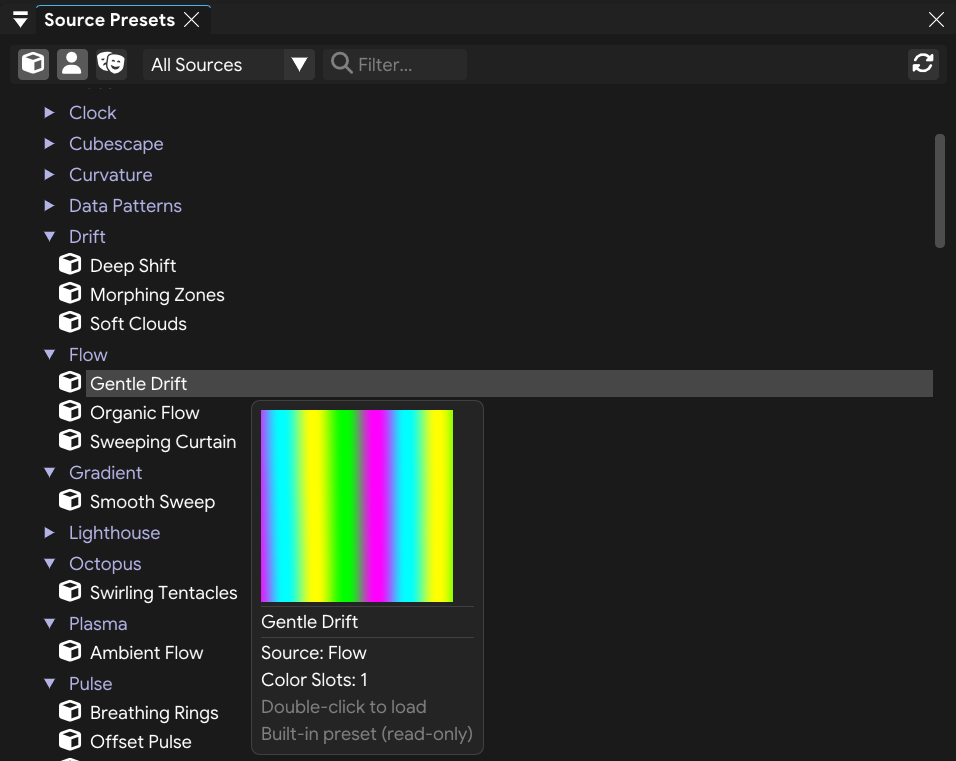
GPU-accelerated sources, all palette-driven and built to keep moving. Load a preset and preview it before it hits your output. Want more? Import community shaders straight from editor.isf.video, or drop your own GLSL into the user folder. No rebuild required.
- Built-in sources, including beat-reactive looks that lock to the grid
- Presets organized by source: built-in, user, or your own
- ISF import. Pull one shader or a creator's whole library
- Hover any preset to preview the look before you load it
Stack effects, sync anything
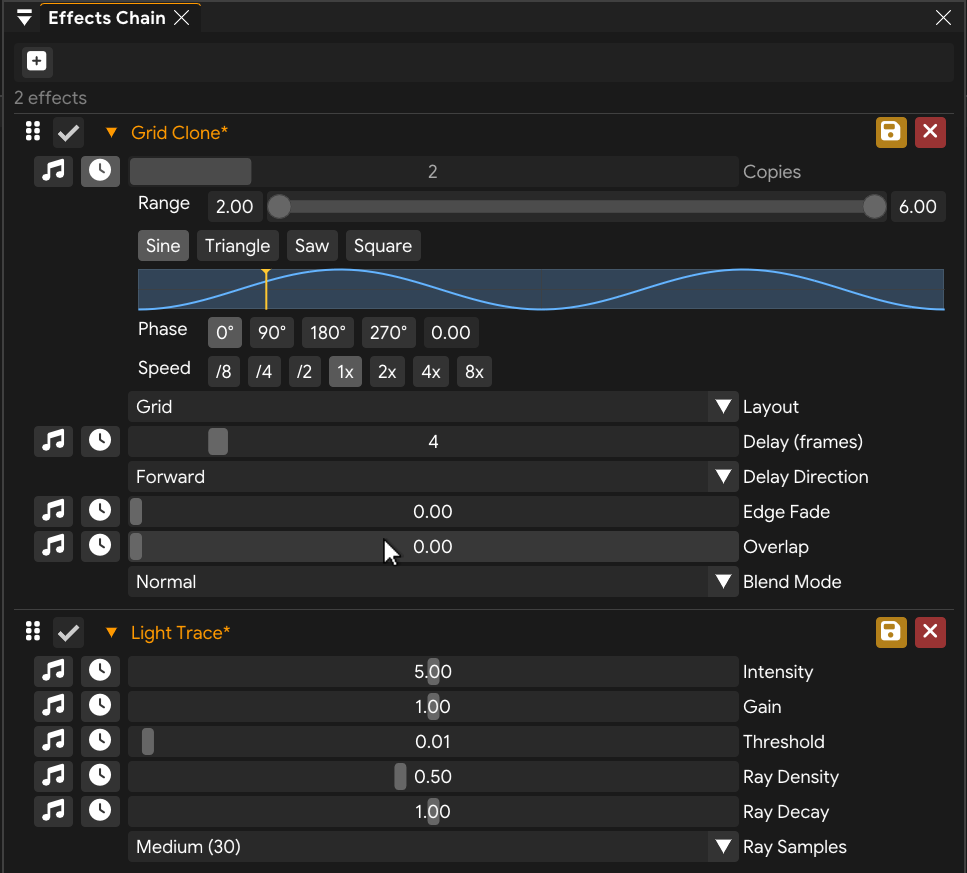
Layer effects into a chain, where each one processes the output of the last. Drag to reorder, toggle any effect to compare, and tie any parameter to the beat or the incoming audio. The library runs from blur and kaleidoscope to light trace and feedback trails.
- Distortion, color, stylize, and feedback effects
- Drag to reorder, toggle on and off, insert at any point
- Sync any parameter to the beat or react it to live audio
- Shape the motion with sine, triangle, saw, and square
Recolor the whole show in a click
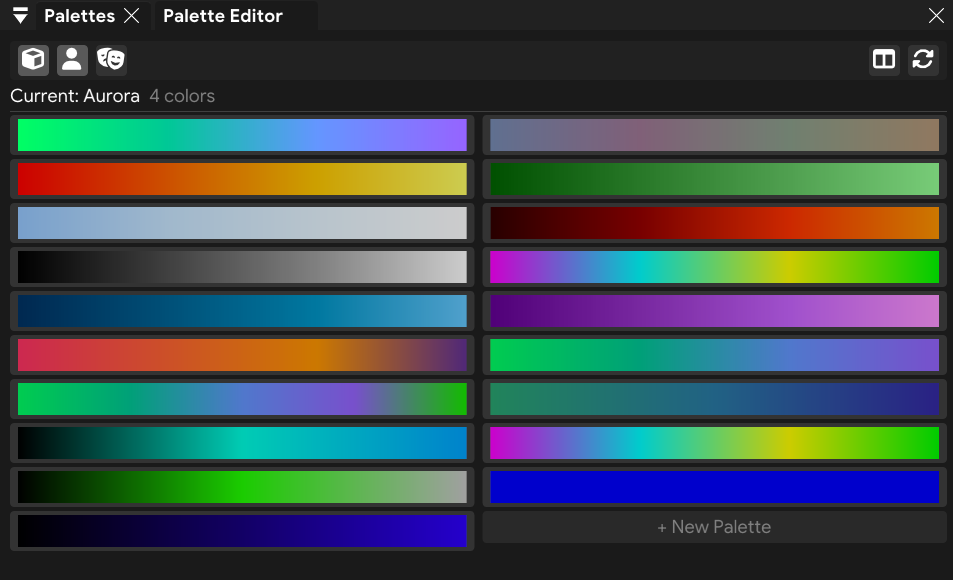
Color is a first-class system in FXCanvas, not an afterthought. Every source reads from one shared palette of 2 to 20 colors, so switching palettes repaints your entire show at once, with no glitch on the live output. Generate a palette from a single color, or crossfade smoothly between two.
- Palettes of 2 to 20 colors, with live gradient thumbnails
- Switch palettes to repaint every source at once, glitch-free
- Generate from one color: monochrome, analogous, complementary, triadic
- Smooth crossfades, plus color from the console over Art-Net
Locked to the beat, from any source
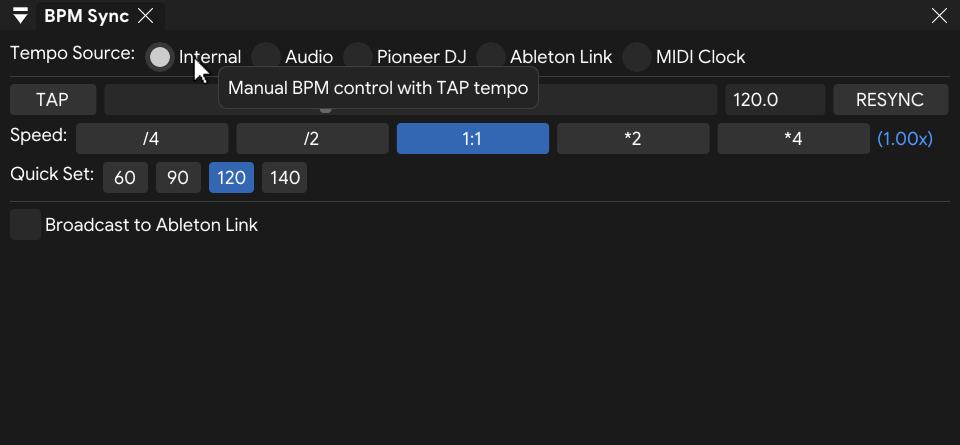
One master clock, fed by tap tempo, Pioneer DJ Link, Ableton Link, MIDI Clock, or live audio. Lock any parameter to the grid, set your exact response with speed multipliers from ÷4 to ×4, then go deeper with audio frequency analysis to drive visuals from the bass, mids, or highs.
- Tap by ear or dial in exact BPM, with one-tap quick sets
- Pioneer DJ Link locks to the CDJ master tempo and beat grid
- Ableton Link follows the session, or broadcasts your tempo to it
- MIDI Clock input, with speed multipliers from ÷4 to ×4
- Audio analysis drives any parameter from bass, mids, or highs
One canvas, every output
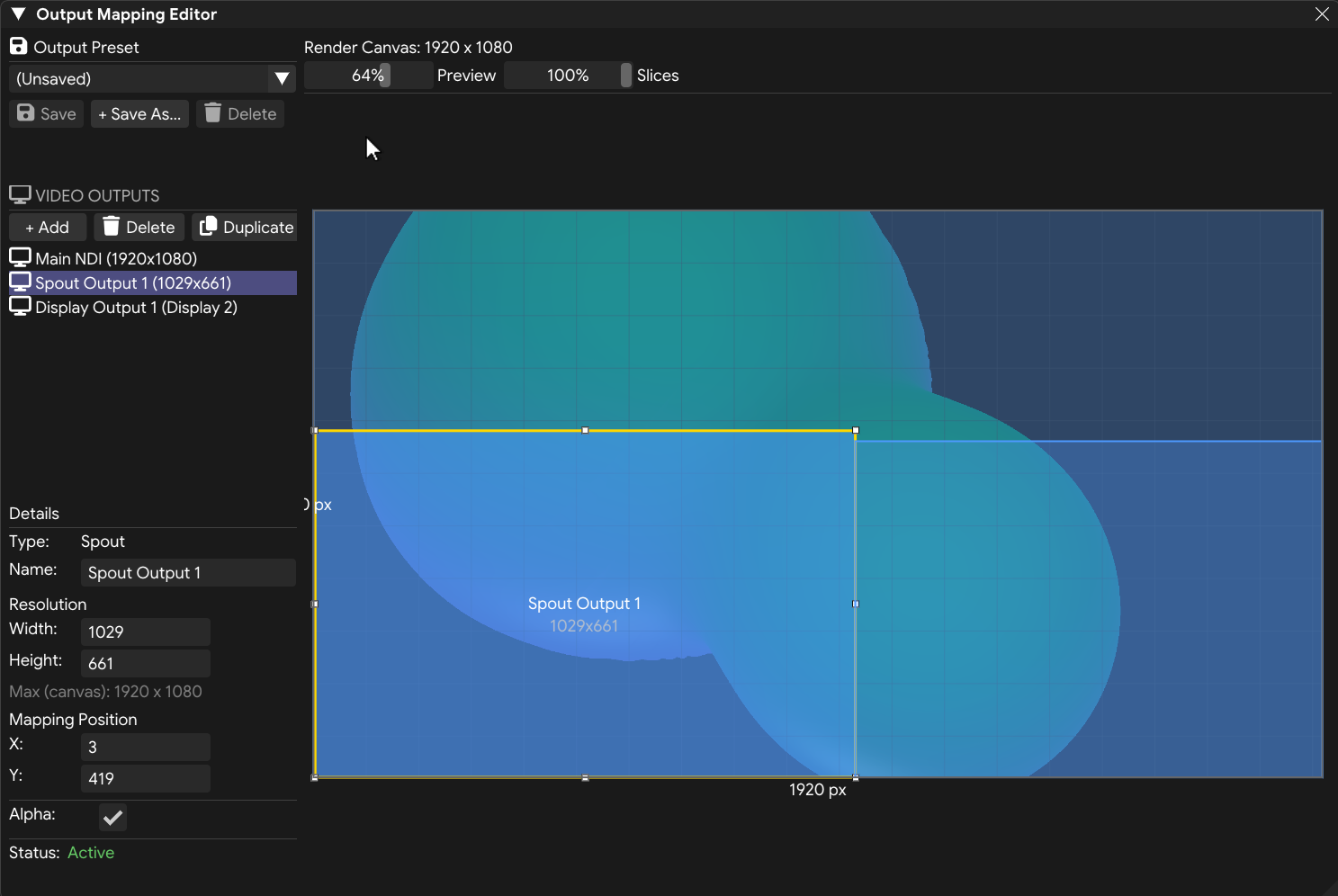
One canvas, as many outputs as you need. Each output takes its own slice of the render canvas at its own resolution, so a main screen, a media server, and a projector can all run from the same show. Mix NDI, Spout or Syphon, Display, DeckLink SDI, and pixel-mapped DMX, all at once.
- NDI streams to any device on your network, 4K-ready
- Spout and Syphon share the GPU zero-copy on Windows and macOS
- Fullscreen display out to any monitor or projector
- DeckLink SDI/HDMI out to broadcast switchers and reference monitors
- Mapping editor crops and places each output on the canvas
- Pixel-mapped DMX out over Art-Net or sACN
Snapshot a look, recall it instantly
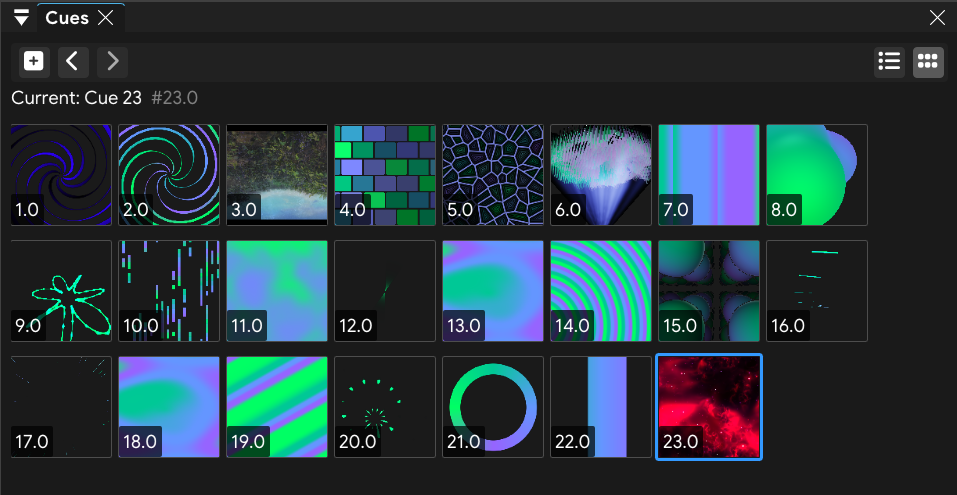
A cue captures a complete look: the source and its parameters, the full effects chain, the palette, and the composition. Recall any cue instantly, console-style, with no reload or stutter. Group cues into a show, and your whole set travels in one portable folder.
- Capture source, effects, palette, and composition in one cue
- Recall any cue instantly, the way a console fires its cues
- Number cues with decimals (1.5, 2.1) to slot looks in between
- Bundle cues into portable shows, with built-in, user, and show presets
Fits your setup
FXCanvas speaks the standards you already run, from Art-Net and GDTF to NDI, OSC, and Spout. No middleware, no custom drivers.
DMX & Art-Net output
Pixel-map your visuals onto real fixtures over Art-Net or sACN, with color converted to match each GDTF profile. Map the whole rig at once, or dial in each fixture.
GDTF & MVR import
Import your console's MVR and FXCanvas brings across fixtures, modes, patch, and groups. Export a GDTF of FXCanvas to patch it on grandMA3, ETC Eos, or ChamSys and drive its palette from your color master.
ISF shader import
Pull shaders from editor.isf.video by URL, one at a time or a creator's whole library. They land in your sources and pick up your palette automatically.
Video in & playback
Bring in live video from webcam, NDI, or DeckLink capture, then run it through the full effects chain. Plays MP4, MOV, MKV, and most common formats.
MIDI, OSC & REST
Sync tempo over MIDI Clock, and control everything over OSC or a documented REST API. Map a controller, fire cues from TouchOSC, or drive it from Stream Deck and Bitfocus Companion.
Spout & Syphon out
Share the canvas as a zero-copy GPU texture with Resolume, TouchDesigner, VDMX, MadMapper, and other creative tools.